Article
How to connect a domain or subdomain with Hostinger
Configuring DNS
We need to configure the DNS record for the domain to connect with Hostinger services. The DNS record needs to point the domain or subdomain to the Hostinger VPS IP address via an "A" record. For this scenario, we will be using Cloudflare as our DNS provider. And "metalinktest.eltanvir.com" as the subdomain.
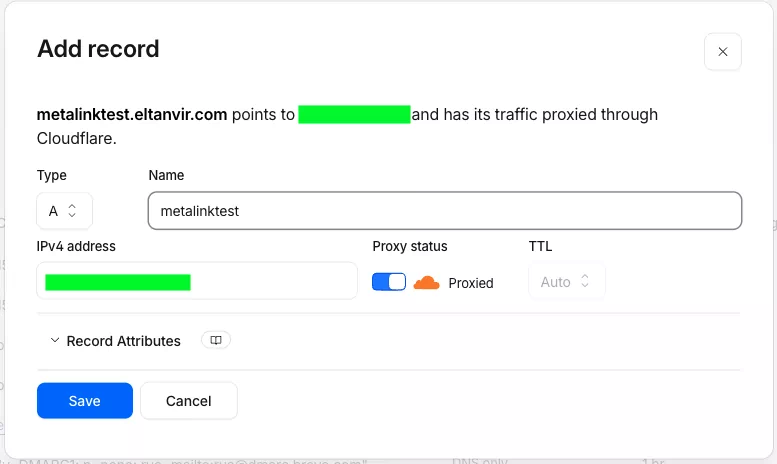
Record Type A. For root domain use @ or for Subdomain name In Name Field. In the IP Address Field Put you VPS IP Address
Once the DNS setup is complete, we need to tweak our Docker Compose. We Need to change the Value of the HOST with our domain/subdomain.
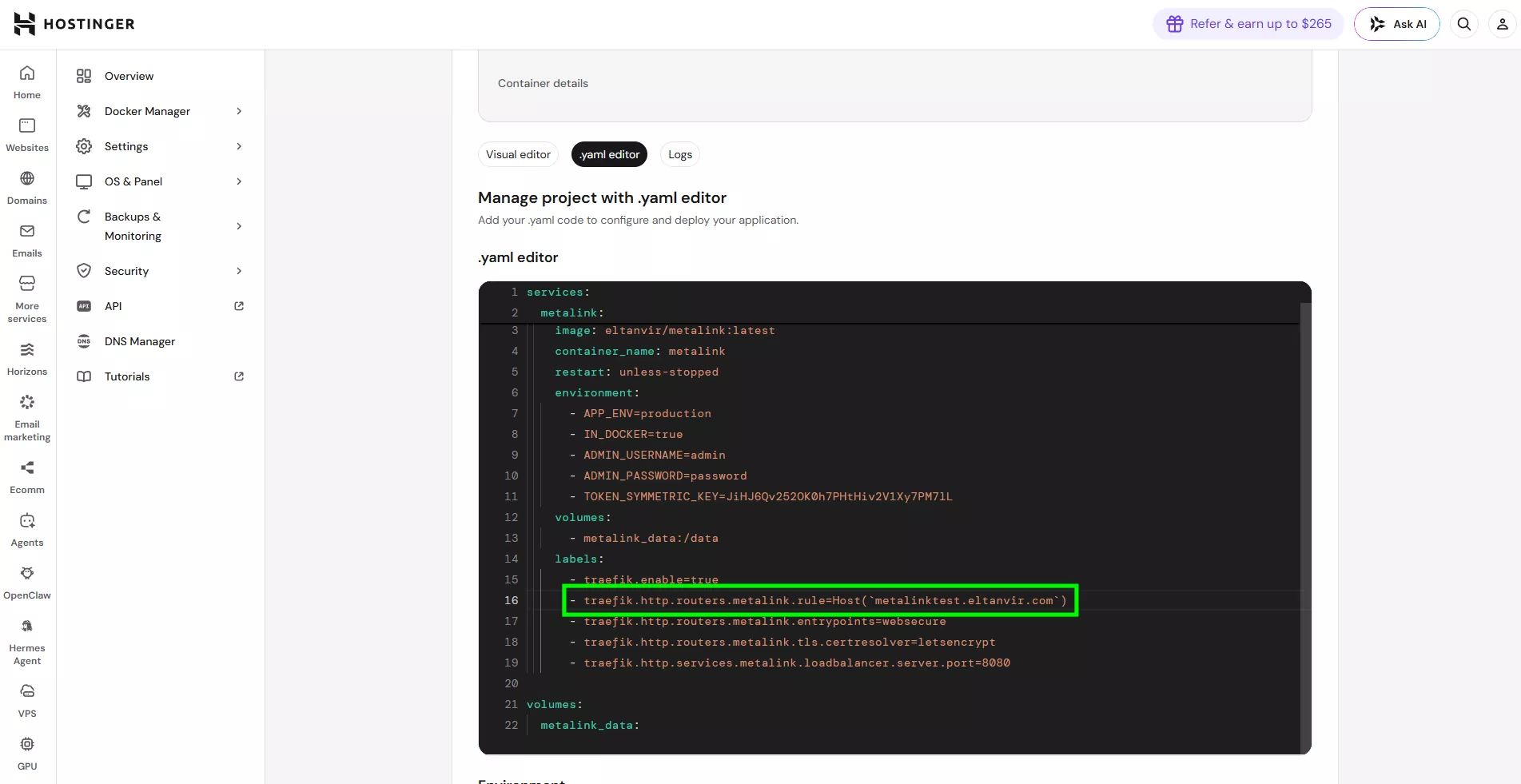
We need to Change Only the domain name Inside the Host(`domain.com`) since Ours is "metalinktest.eltanvir.com" so the the Value is Host("metalinktest.eltanvir.com")
With this you Have Successfully Connected your domain with your Docker service.
Important
If you don't have traffic setup, it won't work. So make sure Traefik is installed and running.
Traefik Setup Guide.
Traefik Setup Guide.